
Begin with the app's own controls
Look for settings that limit mature content, sensitive media or recommended posts inside the app itself. Account settings can affect a feed more precisely than a network filter that sees only the platform's domain. Check the same setting in every account you use, then test a normal day to see whether the change actually reduces the route that caused trouble.
If one app repeatedly leads you to explicit content despite its own controls, consider whether you need the app on the phone at all. Removing it or setting a time limit can be more reliable than trying to classify every post after it appears. When you still need the app for ordinary tasks, screen detection becomes a different option worth testing.
Why domain rules struggle with mixed feeds
A DNS or website filter can block an adult domain before it loads. A large social platform often serves ordinary and explicit posts through the same service, which leaves the filter with an awkward choice between allowing the platform and blocking it entirely. An embedded browser inside the app can create another route that your normal browser settings do not govern.
This is not a reason to remove domain rules from your setup. Keep them for the familiar websites where they work well, then add a layer that addresses the content shown within a permitted app. The screen blocker comparison explains how the two layers fit together without asking you to rely on one tool for every situation.
Test what happens on screen
NSFW Locker's Android protection flow scans screen content and can show a block screen when explicit material is detected. Repeated detections can result in a temporary app block, which is more targeted than permanently removing a useful app but also less predictable than blocking the whole app. The screenshot shows the protection controls you need to set up before testing a feed.
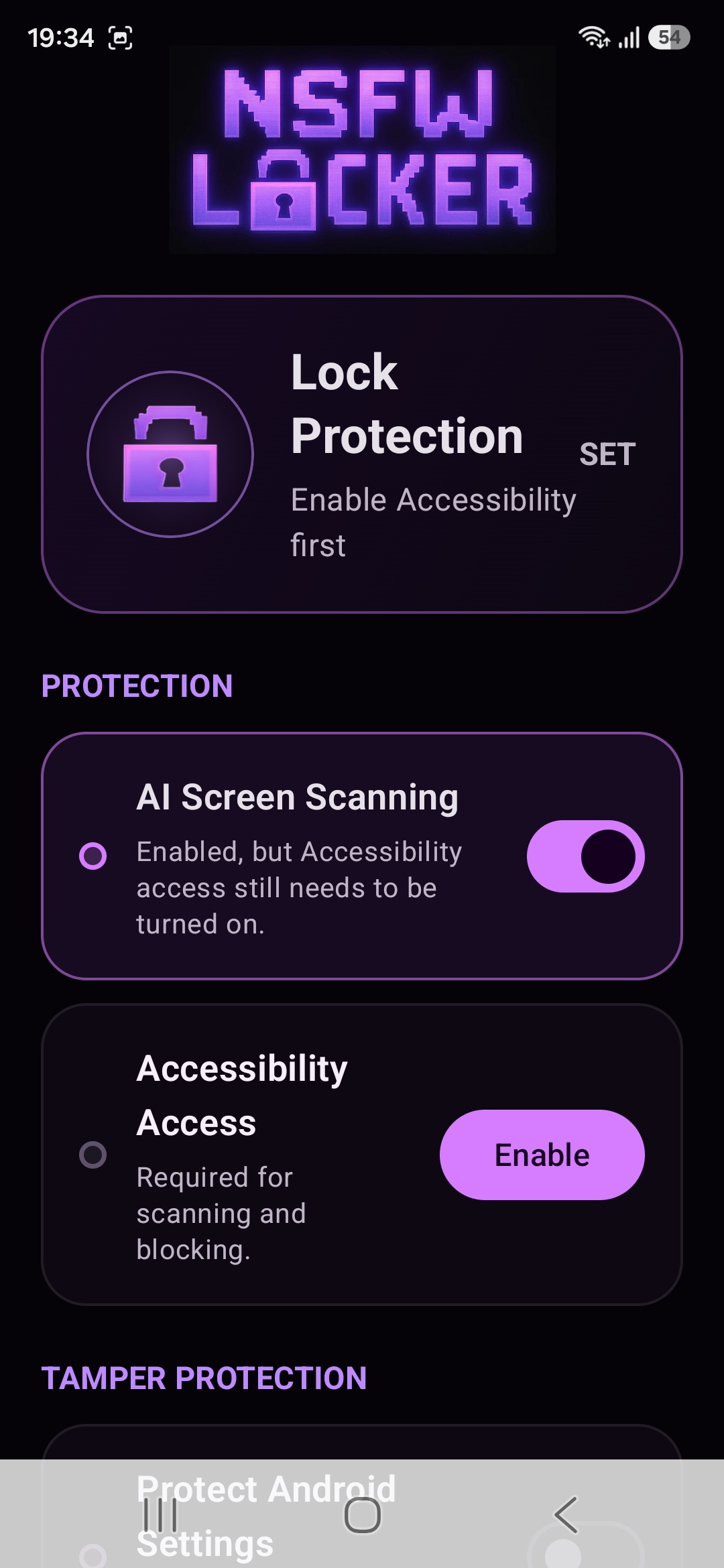
During the 24 hour trial, open the apps that matter to you and pay attention to normal content as well as problematic feeds. A detector can miss an image or block something harmless, so the result should be judged by your real use rather than a staged example. The installation guide covers the steps for enabling the required Accessibility service.
Recognise protected windows and other gaps
The privacy policy explains that screenshot protected app windows cannot be inspected by screenshot based detection. This can matter if an app uses Android's secure window feature for a particular screen. A missed result in such a window is a technical visibility limit, not proof that a stronger timed lock will improve the scanner.
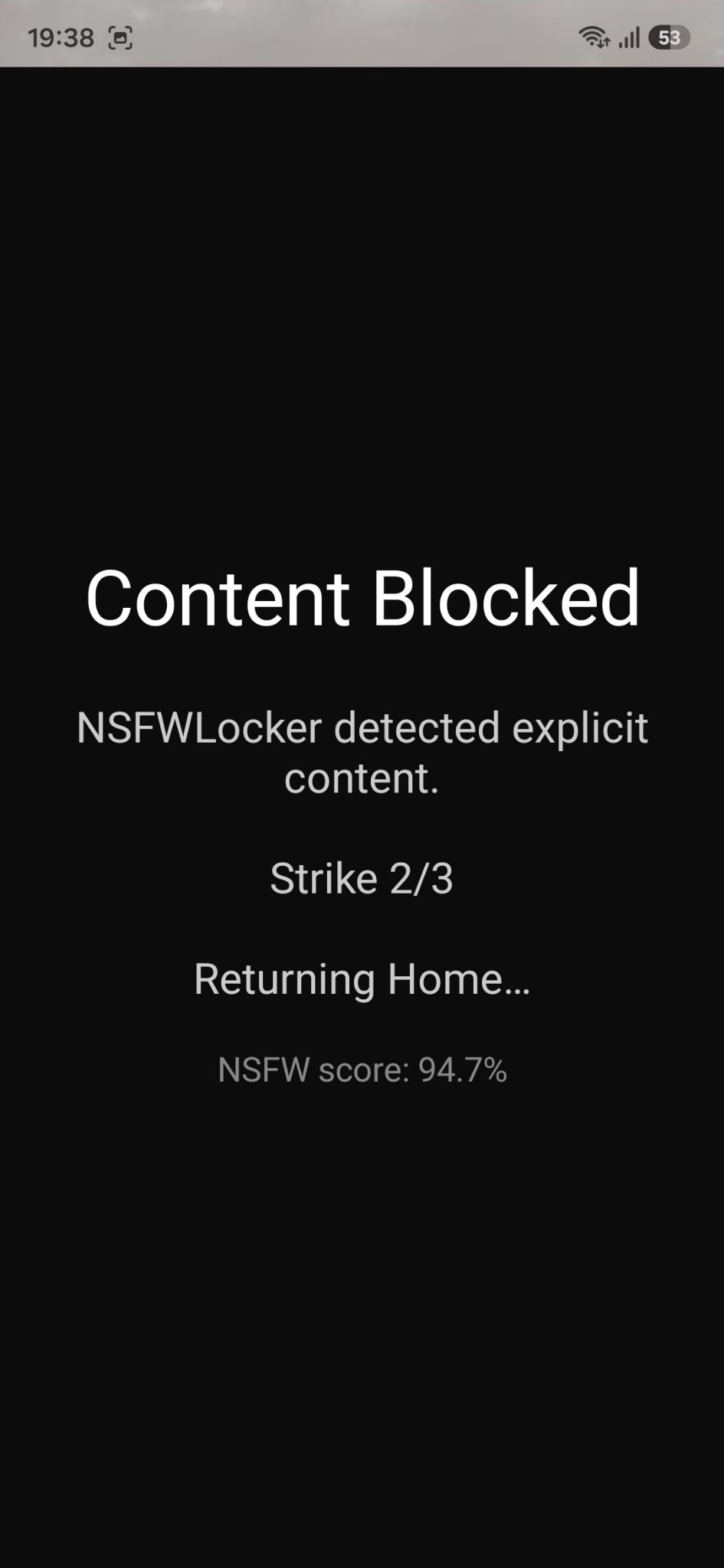
If a feed keeps slipping through, try the app's own content controls or remove the app rather than repeatedly tightening uninstall protection. If the detector works but you disable it during an urge, optional Settings protection and Lock Protection may address that different weakness. The bypass guide focuses on that part of the problem.
Choose the narrowest workable restriction
There is a useful order to try: adjust the app's own feed settings, remove an app you do not need, block a known website and test screen detection for the mixed content that remains. This order preserves useful parts of the phone without pretending that every app feed can be perfectly classified. Keep a note of what each layer is meant to cover.
The free trial needs no card and gives you time to test whether screen detection is worth keeping on your device. After the trial, the Android lifetime licence is £35 for one device. Pay for a result you have seen in the apps you use rather than for a general promise about all Android feeds.