Install NSFW Locker on Android.
Download the APK, then follow the steps below in order.
Samsung Auto Blocker and Google Play Protect can block APK installation. If either one stops the install, disable it temporarily, install NSFW Locker, then turn it back on.
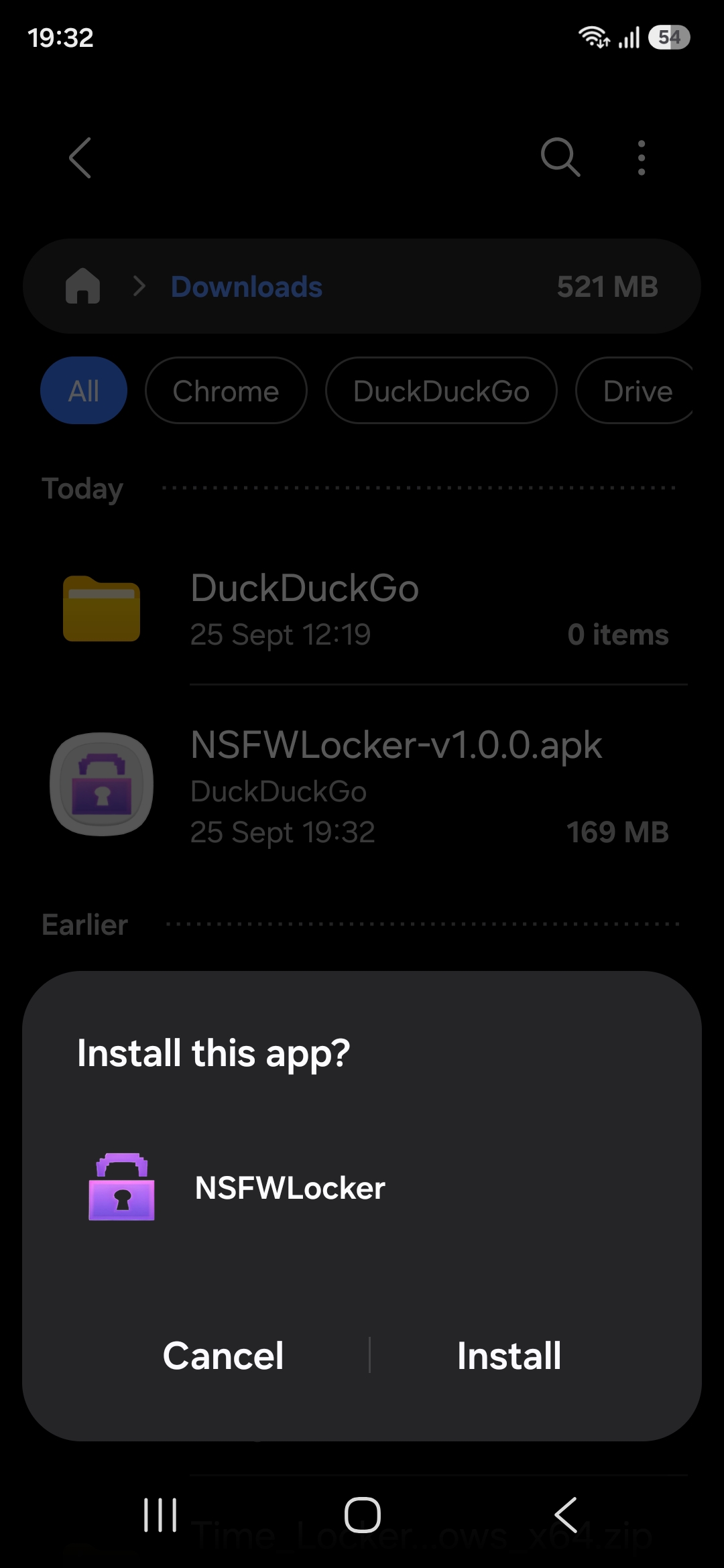
1. Open the downloaded APK
Open NSFWLocker from your Downloads folder and tap Install.
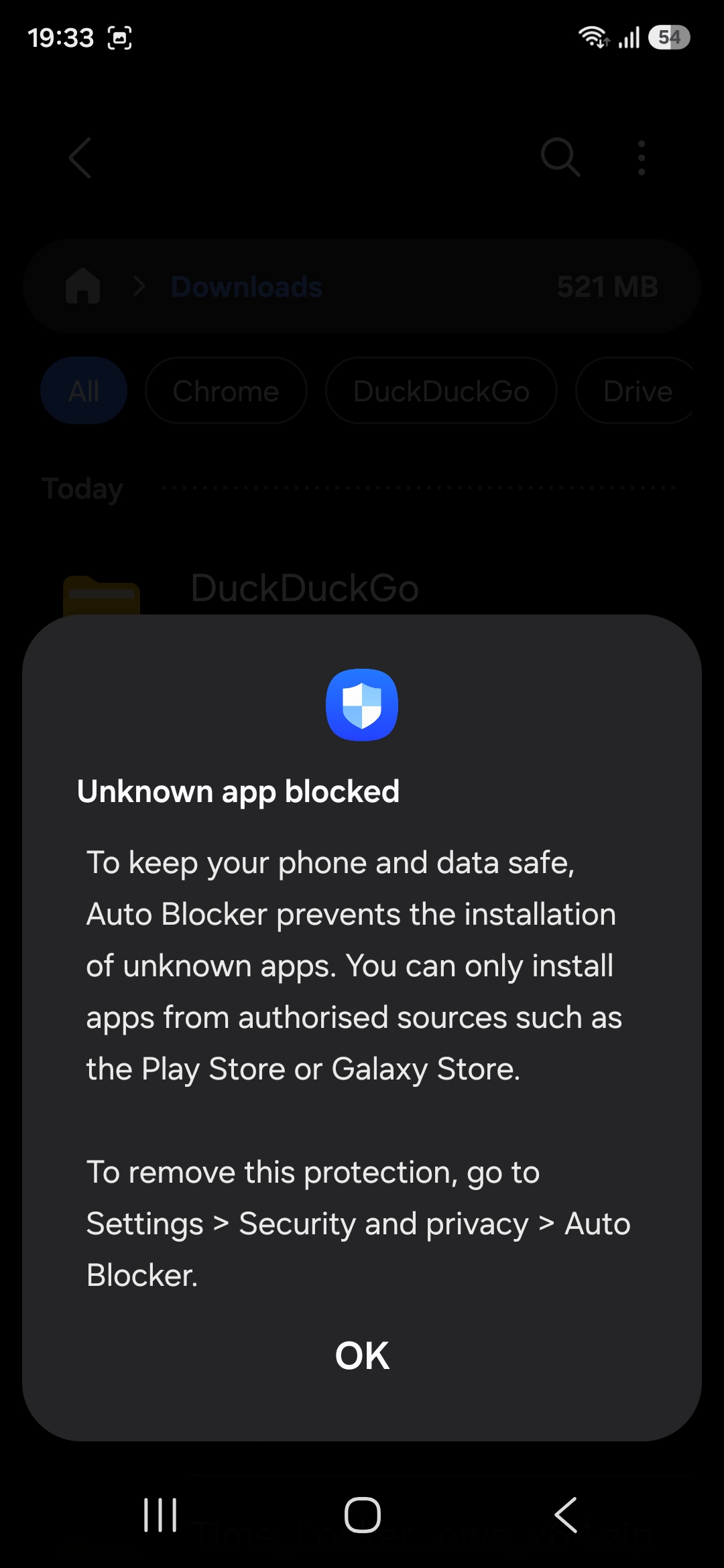
2. If Samsung Auto Blocker stops the install
Samsung may show Unknown app blocked. Tap OK, then open the security settings shown in the message.
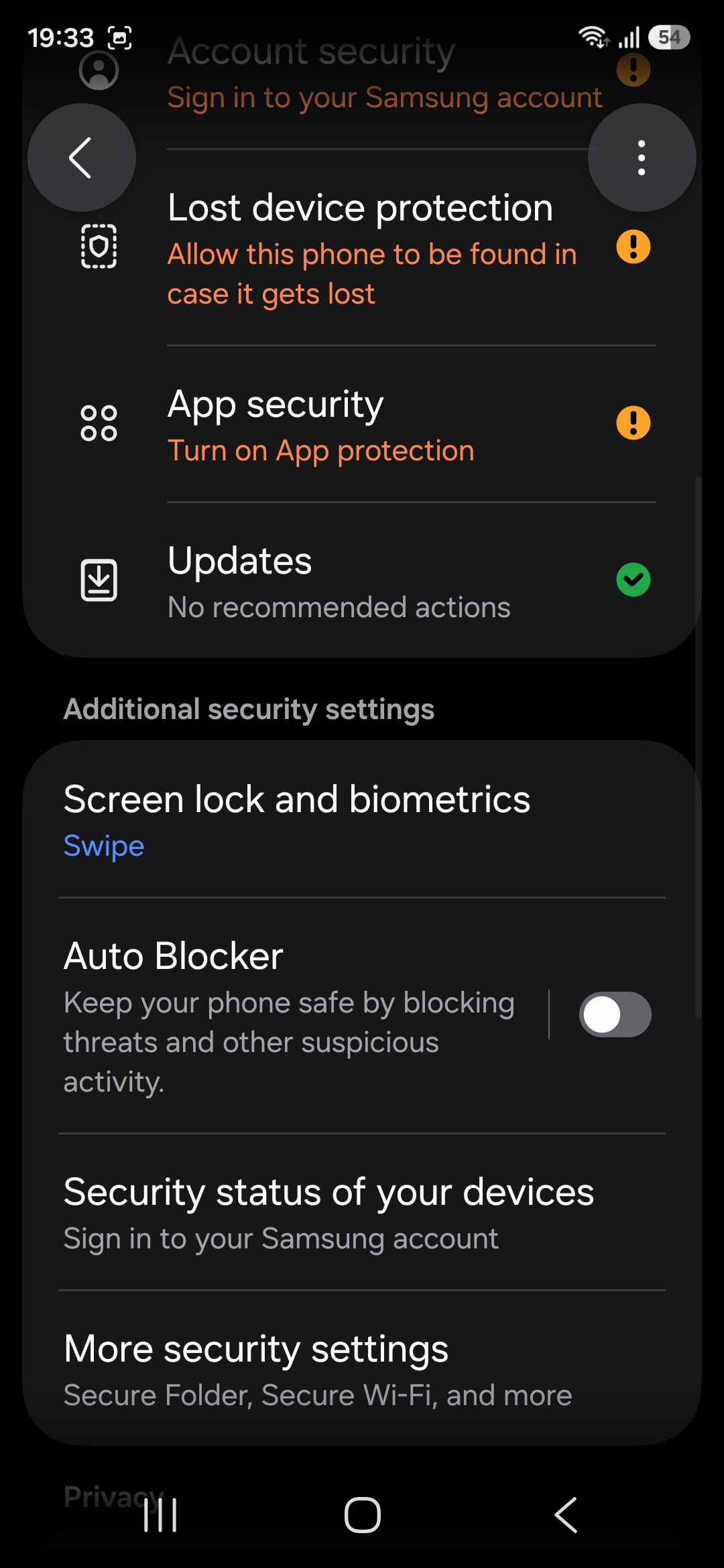
3. Temporarily turn off Auto Blocker
Open Settings, then Security and privacy, then Auto Blocker. Turn it off long enough to install the APK.
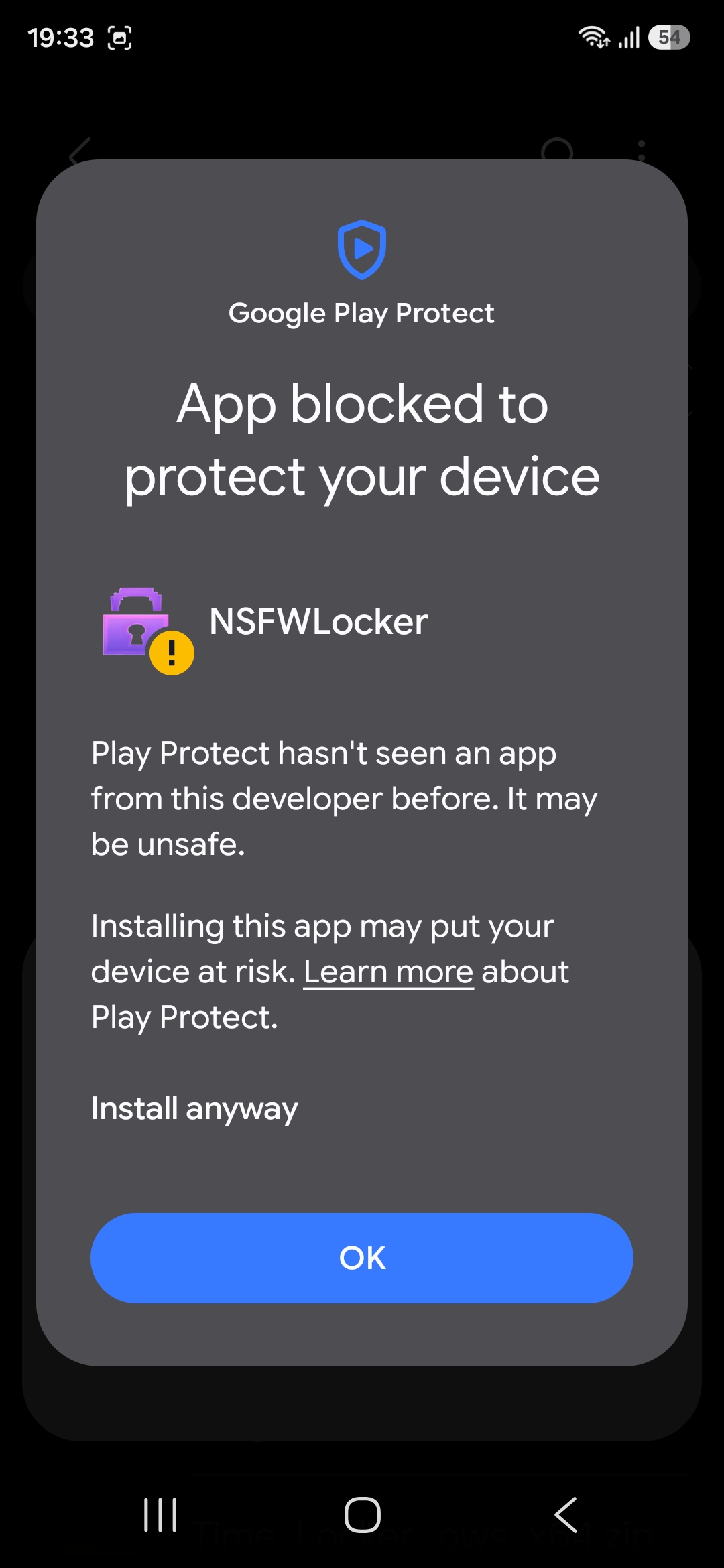
4. Complete the Play Protect prompt
Play Protect may also stop the APK. Tap Install anyway when Android offers it. If your phone does not offer that option, temporarily pause Play Protect for the installation. Turn Play Protect and Auto Blocker back on after NSFW Locker is installed.
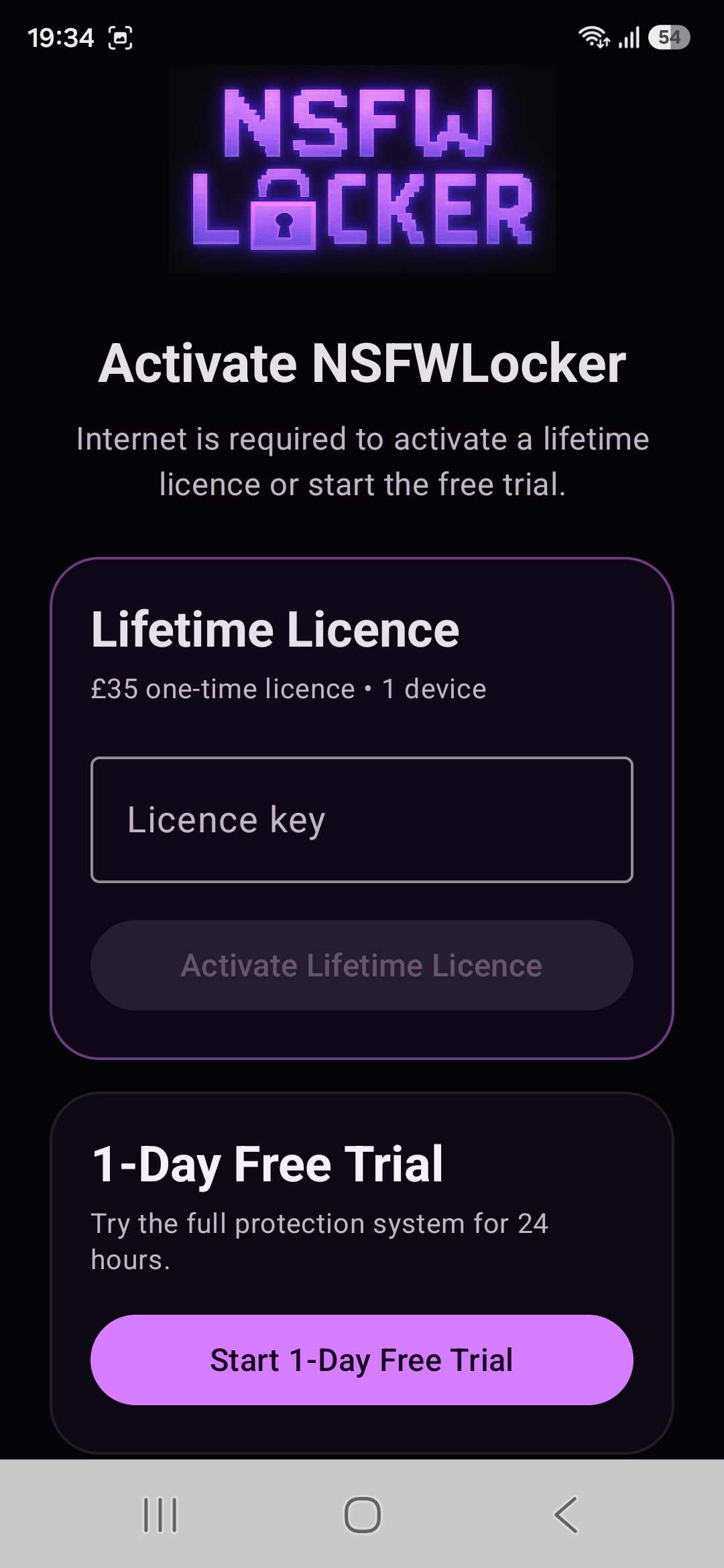
5. Start the trial or enter your licence
Open NSFW Locker. Start the 24 hour free trial or enter a lifetime licence key if you already bought one.
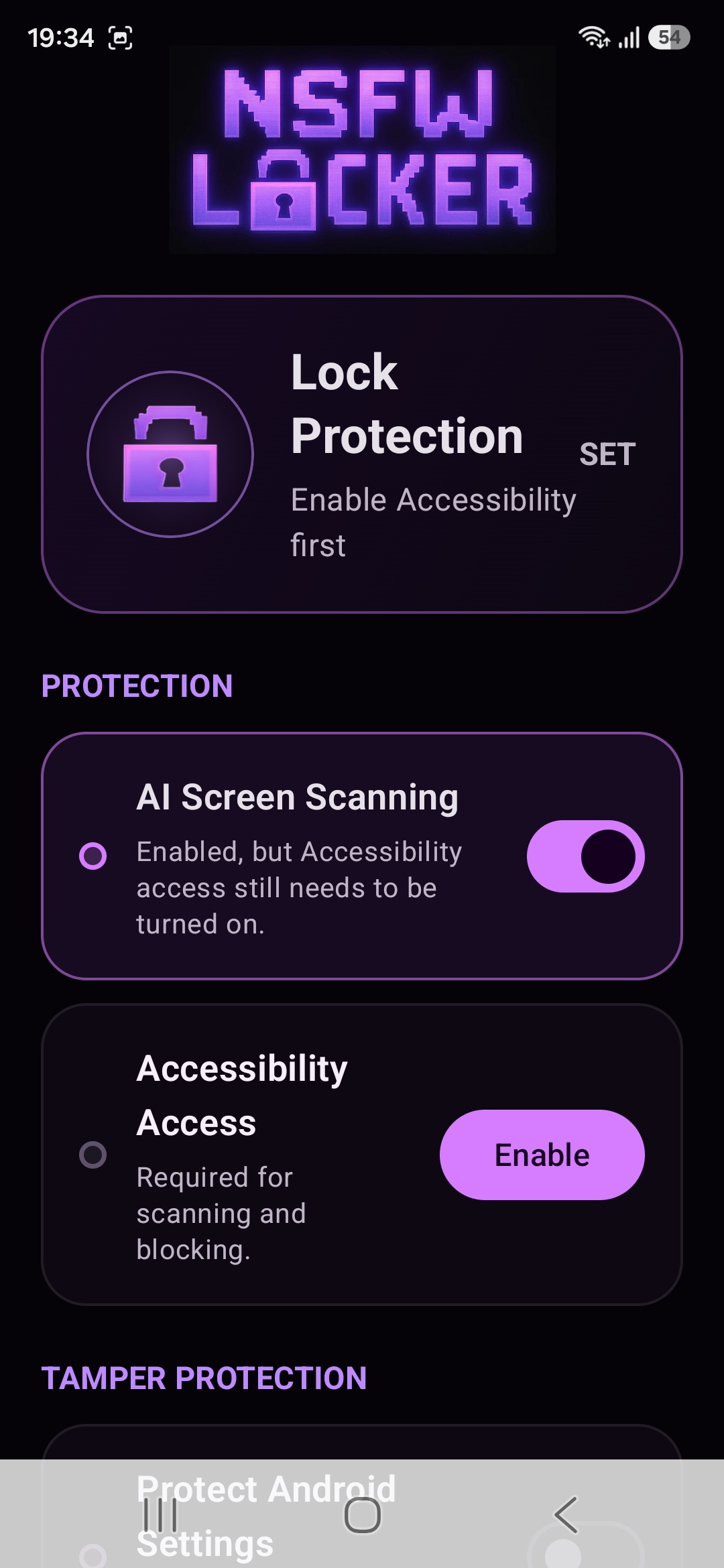
6. Turn on screen protection
Enable AI Screen Scanning, then tap Enable under Accessibility Access.
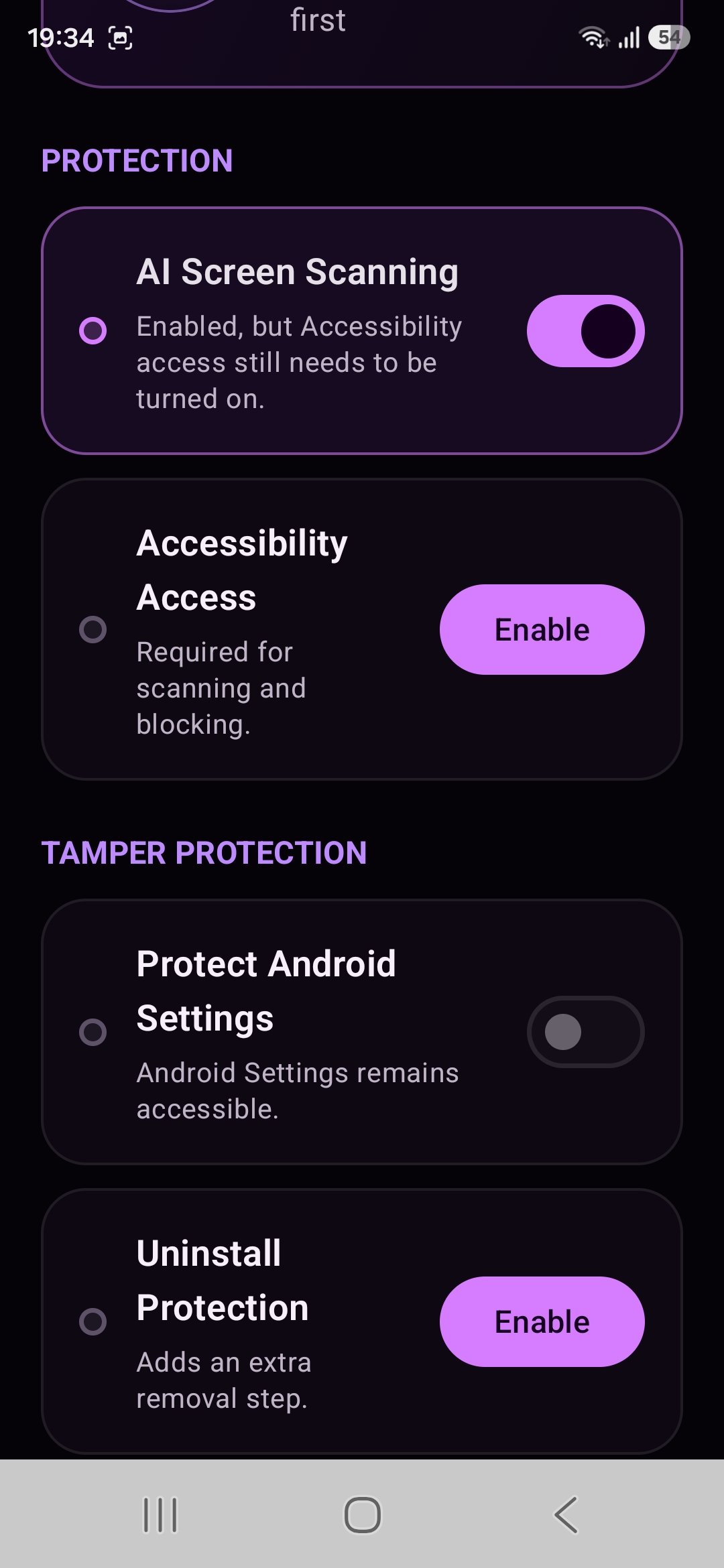
7. Choose the tamper protection you want
Protect Android Settings can block access to Settings. Uninstall Protection adds another removal step. These controls are optional.
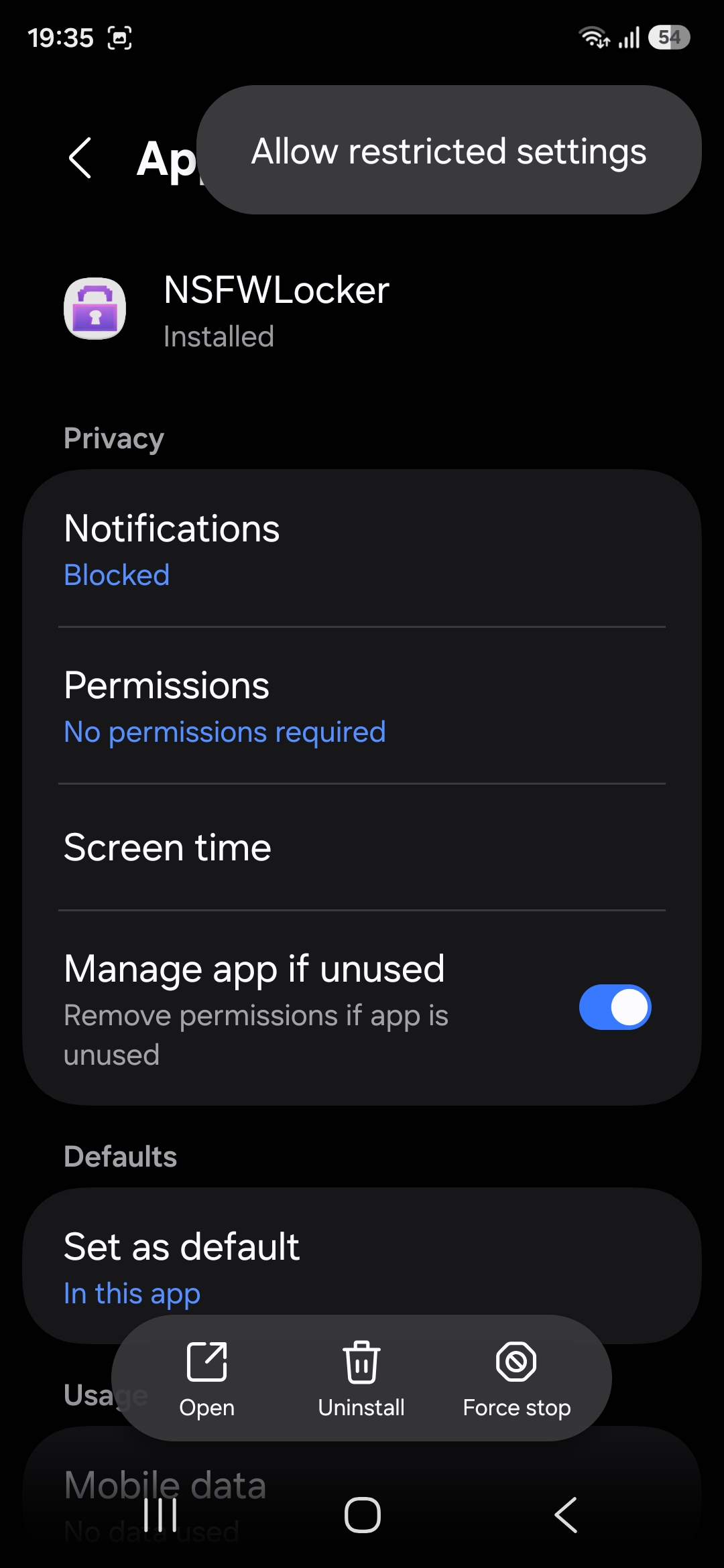
8. Allow restricted settings
Open NSFW Locker in Android App info. Open the menu and choose Allow restricted settings. This must be allowed before Android will let you enable the Accessibility service.
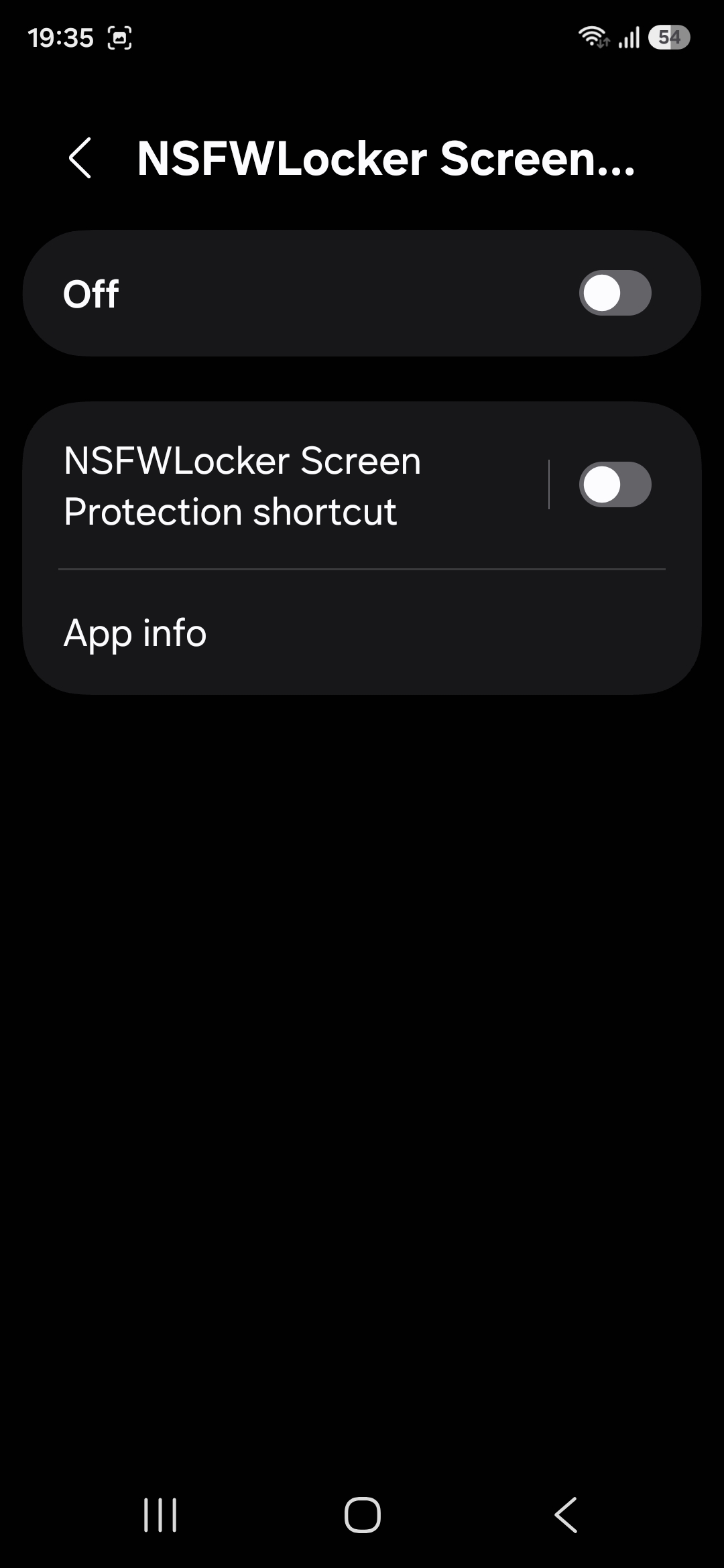
9. Open the Accessibility service
In Accessibility, open NSFWLocker Screen Protection and switch the service on.
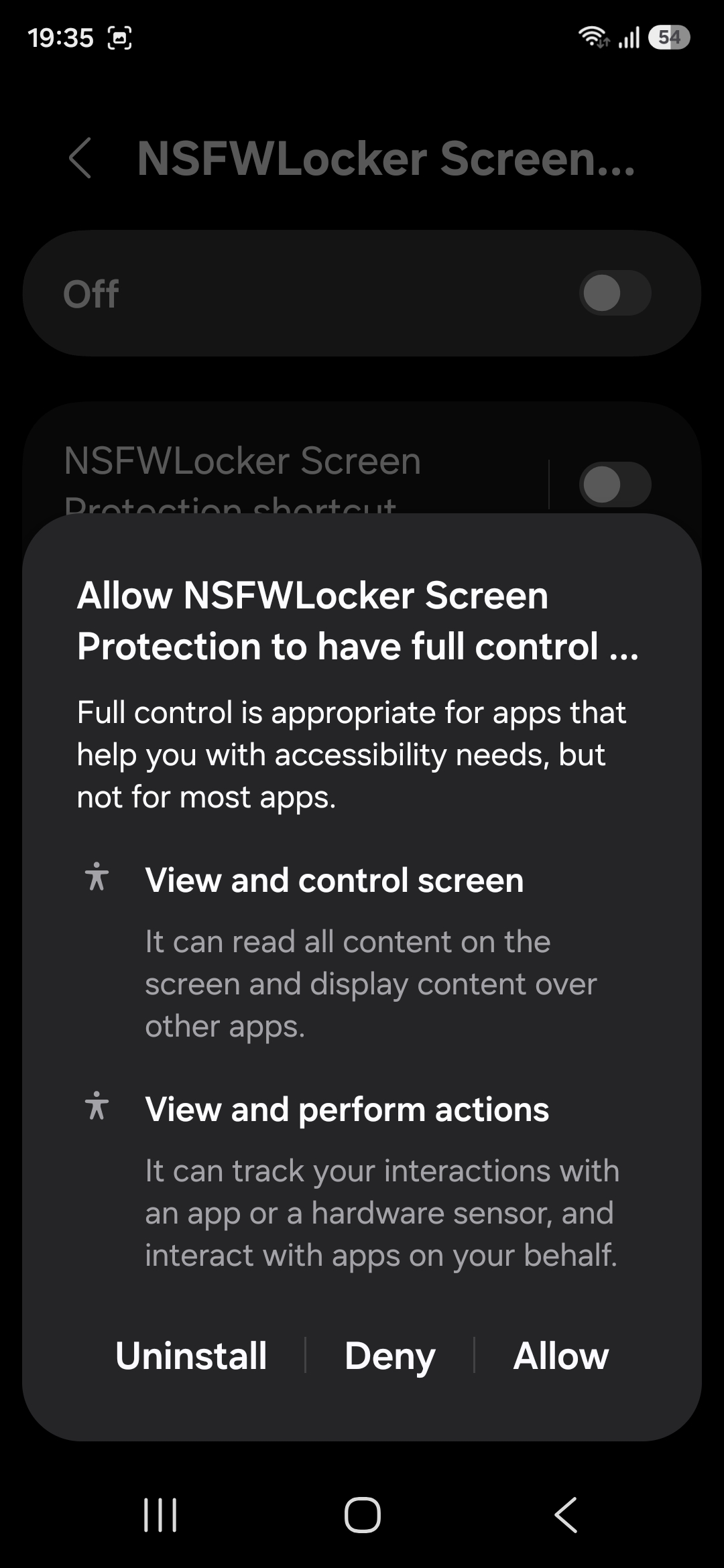
10. Approve Accessibility
Android will explain what the service can do. Tap Allow to enable NSFW Locker screen protection.
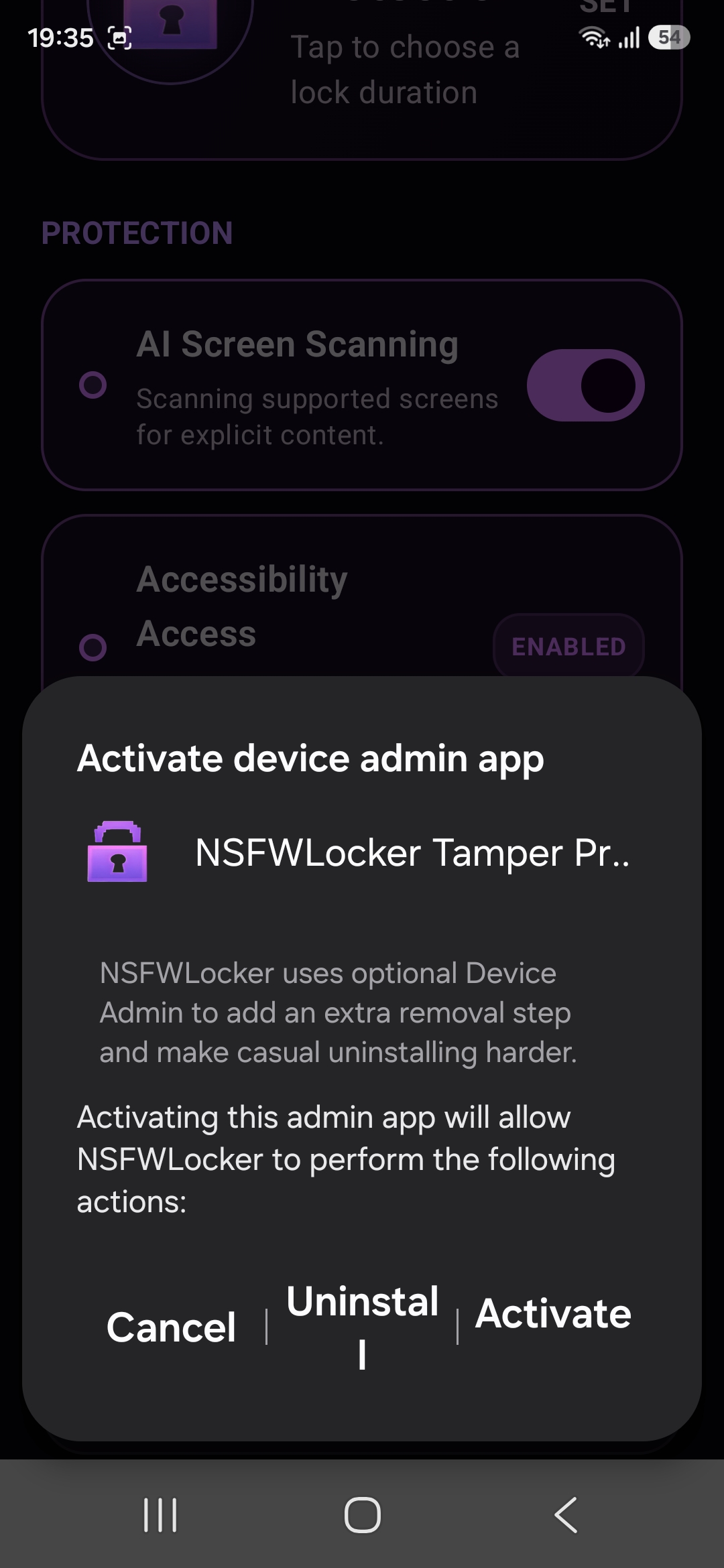
11. Optional uninstall protection
If you enable Uninstall Protection, Android will open the Device Admin screen. Tap Activate if you want this extra removal step.
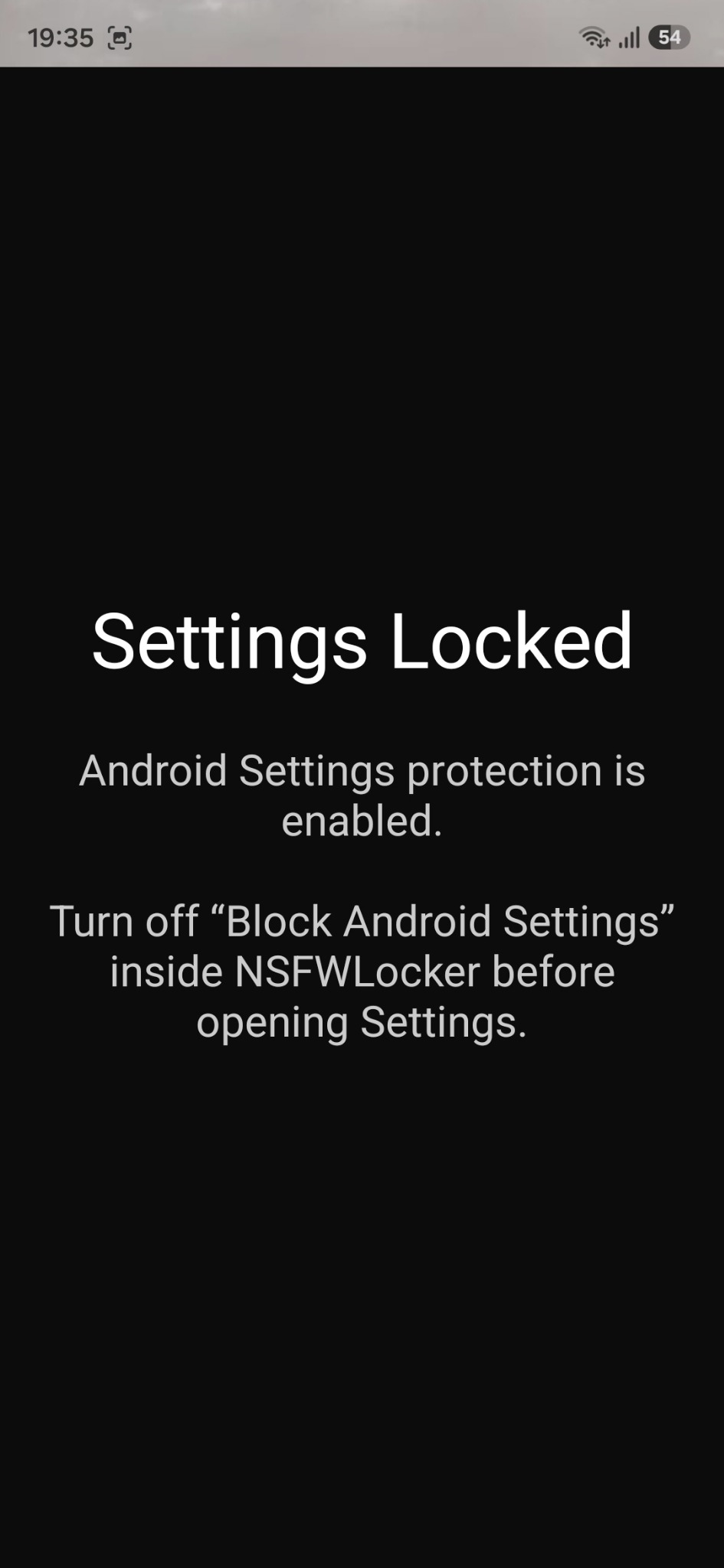
12. Settings protection example
When Android Settings protection is enabled, NSFW Locker can show this screen instead of allowing Settings to open.
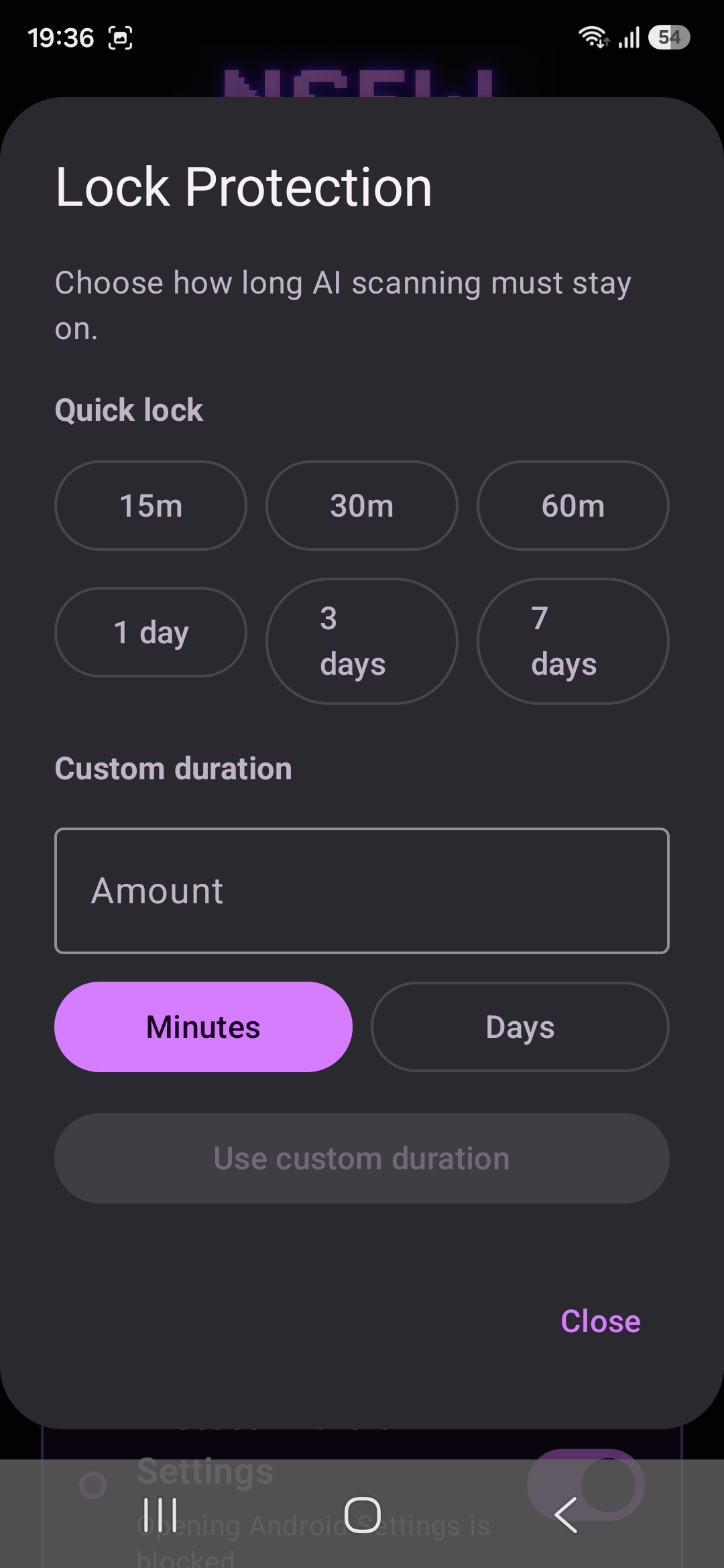
13. Set a lock duration
Lock Protection lets you choose how long screen protection must stay enabled.
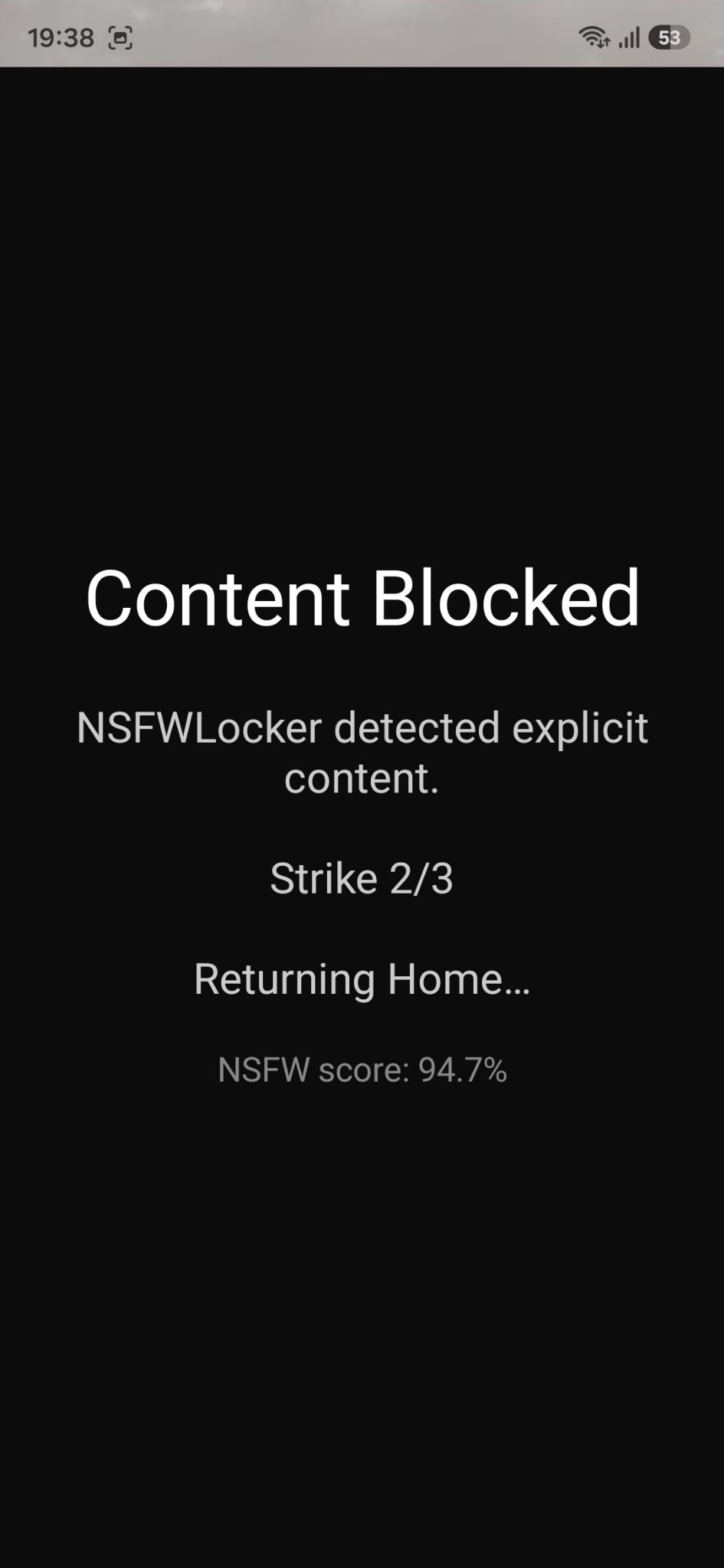
14. What happens when content is blocked
When NSFW Locker detects explicit content, it shows the block screen and adds a strike. Repeated detections can trigger a temporary app block.
Turn Auto Blocker and Play Protect back on. On Samsung phones, if battery management interrupts protection, add NSFW Locker to Never sleeping apps.
Keep NSFW Locker after the trial
The Android lifetime licence costs £35 for one device and includes lifetime updates.
Email support@nsfwlocker.com with your phone model, Android version and a screenshot of the step you are stuck on.